LockMyPix Safe Photo Vault
Contains adsIn-app purchases

4.6star
307K reviews
10M+
Downloads

Everyone
info
Enjoy this app for free, plus many more free of ads and in-app purchases, with a Google Play Pass subscription. Learn more




About this app
You want to protect your most important photos, videos and documents to make them truly invisible to anyone else but you?
🔒 Privacy is powered by LockMyPix!
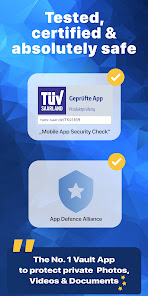
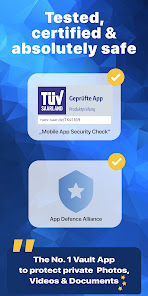
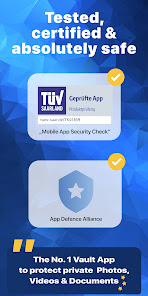
🥇 Awarded with the ePrivacy App Seal
Hide photos and documents with LockMyPix in your private photo vault and video vault. Your #1 choice for real privacy!
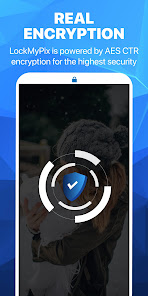
Encrypt and secure personal photos, videos + documents with proven military-grade AES encryption.
🏆 "Best solution" - AndroidPIT
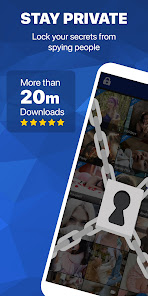
Nobody will be able to see your secrets 😎
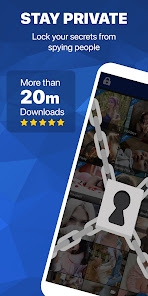
LockMyPix is your choice to get full control of who sees what. Your public gallery remains available to friends and family but your secrets are strongly hidden and protected in your private LockMyPix Photo and File Lock.
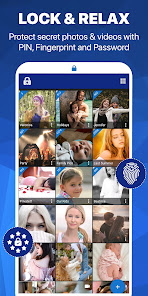
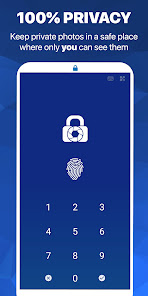
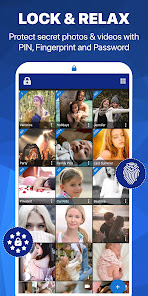
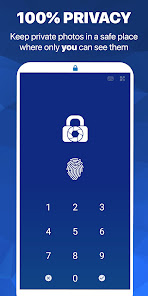
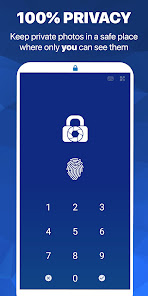
🔑 Login with PIN, Face, Fingerprint, Password or Pattern
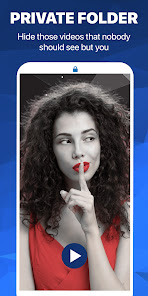
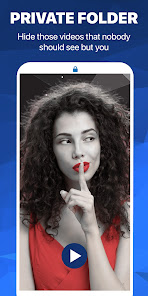
📷 Hide and lock any photo, video and file in your hidden folder
🔒 True privacy powered by Full AES Encryption
Take full control of your privacy!
LockMyPix does not just hide videos, pictures and documents like other apps do. It uses true Full AES encryption! It's the same as governments and banks use worldwide! Just add photos, files or videos to your secret photo and video vault to keep them truly private and secured. One tap. Done!
Enjoy outstanding features:
• Keep an eye on people who try to break into your private vault
• Create a decoy secret Fake Vault with a separate code
• Create multiple albums and sub-albums
Hide photos, videos or documents with ease! Securely 🔒
It has never been easier to truly hide and protect any photo, video or file on your mobile. LockMyPix can lockdown unlimited files! Your #1 choice in Cyber-Security. Full protection against spying eyes and hackers.
Developed according the must-haves of our users:
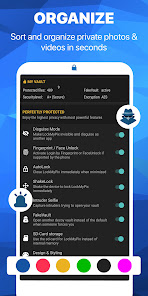
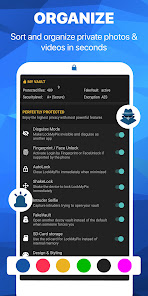
• Disguise your vault and let it disappear
• Complete sd-card support to free up space
• Full support for Gif's and WebP
What's the difference to similar apps?
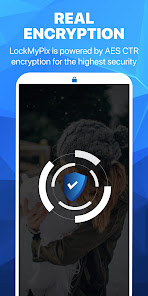
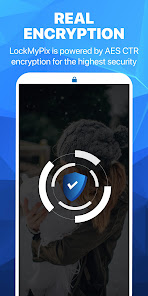
LockMyPix encrypts your private photos, videos and files where others just hide. Your secrets are not only hidden but truly safe and encrypted with AES CTR. Nobody can see your private files without your private password. This ensures COMPLETE SECURITY! No tricks possible.
You're looking for the highest available privacy?
★ LockMyPix Premium exclusive features:
• Face Unlock: Login using your face or iris on supported devices like the Pixel 4, 5 or 6
• Fake Vault: Enhance your privacy! LockMyPix protects you against those who force you to open your private images or videos. Use the Fake Vault that opens a decoy LockMyPix Vault where you can place other pictures / videos. Nobody knows that you have any other files in your private vault.
• SD-Card: Use the sd-card for your private photo and video vault and free-up space on your internal storage.
• Hide the app: Disguise LockMyPix and it will look like another app i.e. a Calculator, Radio or more... Only you know the secret!
• Intruder Selfie: Capture intruders trying to open your vault with a break-in selfie.
Protect your privacy now with award winning security. Keep your most important photos, videos and documents truly private in your personal protected secret photo & video vault.
Keep things simple and check out many outstanding features:
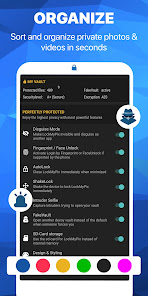
• Organize: Sort as you like with many different options
• Custom Album Covers: Choose a specific image as the album cover
• Custom Themes: Choose that color that YOU like
• Ad-Free: Personalize your secret folder and remove ALL ads
Suggestions or assistance?
Just reach out with a quick mail. Our team is always available for you 📧 support@lockmypix.com
Web:
https://www.lockmypix.com
LockMyPix is recommended by many professionals like AndroidPIT, Chip.de, Bild.de, PcTipp.ch and many more.
http://bit.ly/androidpit-photo-vault
http://bit.ly/lockmypix_chip-de
http://bit.ly/lockmypix_bild-de
http://bit.ly/lockmypix_pctipp
🔒 Privacy is powered by LockMyPix!
🥇 Awarded with the ePrivacy App Seal
Hide photos and documents with LockMyPix in your private photo vault and video vault. Your #1 choice for real privacy!
Encrypt and secure personal photos, videos + documents with proven military-grade AES encryption.
🏆 "Best solution" - AndroidPIT
Nobody will be able to see your secrets 😎
LockMyPix is your choice to get full control of who sees what. Your public gallery remains available to friends and family but your secrets are strongly hidden and protected in your private LockMyPix Photo and File Lock.
🔑 Login with PIN, Face, Fingerprint, Password or Pattern
📷 Hide and lock any photo, video and file in your hidden folder
🔒 True privacy powered by Full AES Encryption
Take full control of your privacy!
LockMyPix does not just hide videos, pictures and documents like other apps do. It uses true Full AES encryption! It's the same as governments and banks use worldwide! Just add photos, files or videos to your secret photo and video vault to keep them truly private and secured. One tap. Done!
Enjoy outstanding features:
• Keep an eye on people who try to break into your private vault
• Create a decoy secret Fake Vault with a separate code
• Create multiple albums and sub-albums
Hide photos, videos or documents with ease! Securely 🔒
It has never been easier to truly hide and protect any photo, video or file on your mobile. LockMyPix can lockdown unlimited files! Your #1 choice in Cyber-Security. Full protection against spying eyes and hackers.
Developed according the must-haves of our users:
• Disguise your vault and let it disappear
• Complete sd-card support to free up space
• Full support for Gif's and WebP
What's the difference to similar apps?
LockMyPix encrypts your private photos, videos and files where others just hide. Your secrets are not only hidden but truly safe and encrypted with AES CTR. Nobody can see your private files without your private password. This ensures COMPLETE SECURITY! No tricks possible.
You're looking for the highest available privacy?
★ LockMyPix Premium exclusive features:
• Face Unlock: Login using your face or iris on supported devices like the Pixel 4, 5 or 6
• Fake Vault: Enhance your privacy! LockMyPix protects you against those who force you to open your private images or videos. Use the Fake Vault that opens a decoy LockMyPix Vault where you can place other pictures / videos. Nobody knows that you have any other files in your private vault.
• SD-Card: Use the sd-card for your private photo and video vault and free-up space on your internal storage.
• Hide the app: Disguise LockMyPix and it will look like another app i.e. a Calculator, Radio or more... Only you know the secret!
• Intruder Selfie: Capture intruders trying to open your vault with a break-in selfie.
Protect your privacy now with award winning security. Keep your most important photos, videos and documents truly private in your personal protected secret photo & video vault.
Keep things simple and check out many outstanding features:
• Organize: Sort as you like with many different options
• Custom Album Covers: Choose a specific image as the album cover
• Custom Themes: Choose that color that YOU like
• Ad-Free: Personalize your secret folder and remove ALL ads
Suggestions or assistance?
Just reach out with a quick mail. Our team is always available for you 📧 support@lockmypix.com
Web:
https://www.lockmypix.com
LockMyPix is recommended by many professionals like AndroidPIT, Chip.de, Bild.de, PcTipp.ch and many more.
http://bit.ly/androidpit-photo-vault
http://bit.ly/lockmypix_chip-de
http://bit.ly/lockmypix_bild-de
http://bit.ly/lockmypix_pctipp
Updated on
Safety starts with understanding how developers collect and share your data. Data privacy and security practices may vary based on your use, region, and age. The developer provided this information and may update it over time.


Ratings and reviews
4.6
301K reviews

Park Avenue Medical
- Flag inappropriate
- Show review history
March 24, 2024
Great app. Love it 😍😍. The app is having trouble syncing with Google drive. Not syncing at all. I uninstalled the app from one device and installed it in another one and the material didn't update to the new device. Also when writing a note, there is no auto correct. Another issue is when writing a long note it's very difficult to navigate to theower part of the note. The note does not let you scroll down.
9 people found this review helpful
fourchars
January 3, 2024
Thank for your valuable review! Do you have the auto lock enabled? Kind regards, Lara 🔒LockMyPix Team 📧support@lockmypix.com

A Google user
- Flag inappropriate
January 2, 2019
Poor usability. The app always prompts for a password whenever you add a photo to it from the gallery. It also does not remember the last used folder or allow you to set a default folder. So, as you scroll through your gallery adding files you will have to put in your password and select the destination folder every. single. time. Add a longer timeout (say, 5 minutes) between needing password re-input and use the last-selected folder as the default one and this would be a 5 star instant buy.
26 people found this review helpful
fourchars
January 2, 2019
Hi Brian, LockMyPix does not know your password or store it somewhere. Every process is done by encrypt / decrypt via AES. This makes it necessary to enter your pwd each time when going to open your vault because storing the pwd would be a vulnerable point in any case.
The default folder is a great idea! 👍
Regards,
Roman
🔒 LMP Team
A Google user
- Flag inappropriate
October 14, 2019
App works wonderfully and hides pictures efficiently. I'm only giving it 2 stars because the ads are way too aggressive. At first when I downloaded this app, I had no ad issues. 2nd day in I flip through 3 pictures and then an ad pops up for 5-15 seconds. I flip through a few more pics and more 5-15sec ads. I back out of a photo, an ad. I put my password in, an ad. I turn my screen sideways, an ad. I've never had an issue with other apps ads being displayed like this. Way too aggressive.
32 people found this review helpful
fourchars
May 27, 2022
We appreciate your feedback! You are more than right - ads should never be too pushy. We'd even like to remove all but it's not possible as otherwise we couldn't offer our free fully secure service. We'll work on none intrusive ads 👍 Feel free to support our development with an upgrade and get 100% ad-free. Emily🔒LockMyPix📧support@lockmypix.com
What's new
🔒 Enjoy the new LockMyPix Update:
We are always improving for your privacy and protection. 🔒
👍 Anything we can do for you? Reach out to us for suggestions and assistance 📧 support@lockmypix.com
or check our Helpdesk https://docs.lockmypix.com
We are always improving for your privacy and protection. 🔒
👍 Anything we can do for you? Reach out to us for suggestions and assistance 📧 support@lockmypix.com
or check our Helpdesk https://docs.lockmypix.com


